Capability categories & per-category model scores
Who this is for: Anyone choosing which model to run for a job, in the SpiderGate dashboard or from an AI agent.
What this does: Ranks the model catalog by what each model is actually good at, using a score in each of nine capability categories instead of a wall of raw benchmarks.
Before you begin
A SpiderGate account you can sign in to.
For the agent steps, a bearer token: either
client_id:api_key:api_secretor aspideriq_pat_…token.Nothing to switch on. Scores are already computed and refresh daily.
Steps
1. Open the Models page
Sign in and go to Dashboard → Gate → Models. The catalog loads with a row of capability chips across the top: Coding, Design/Frontend, Reasoning, Math, Vision, Research, Tool Use, Chat and Translation. Each chip shows an emoji and the number of models scored in that category.
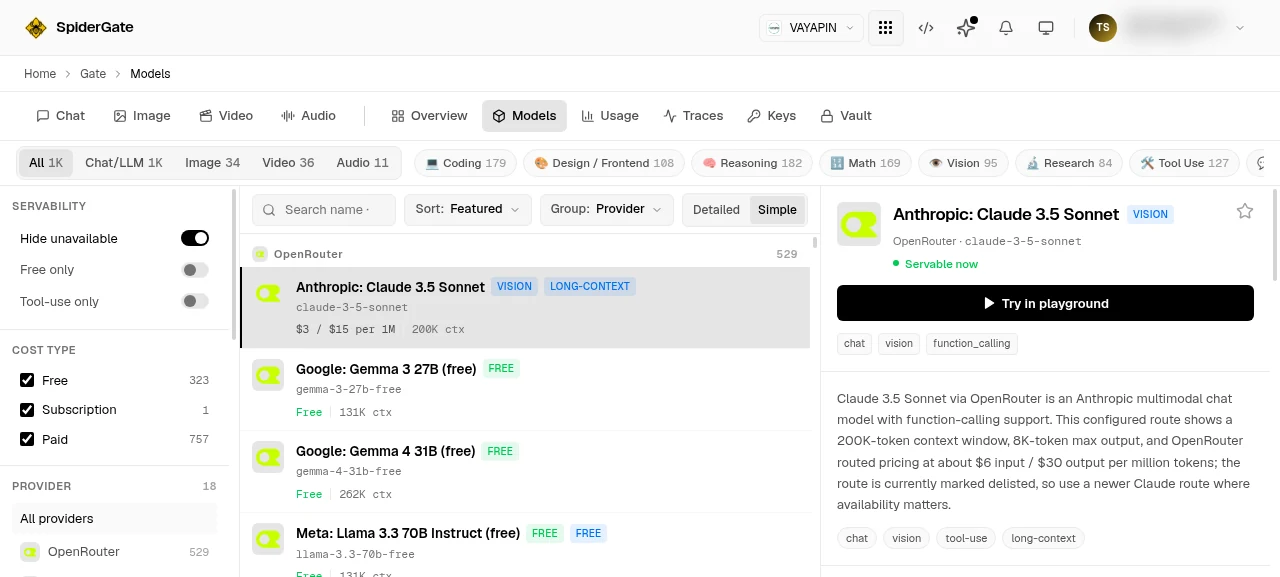
2. Pick the capability you care about
Select a chip. The catalog filters to models scored in that category and reorders them best-first. The ordering is the score, not alphabetical and not price.
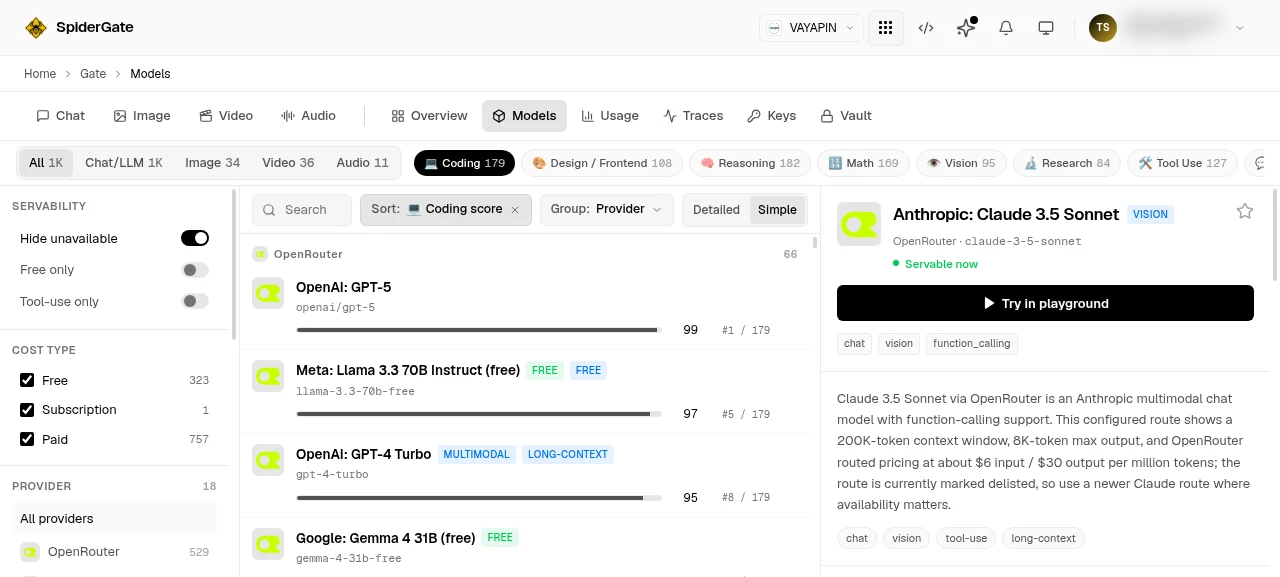
3. Read the score
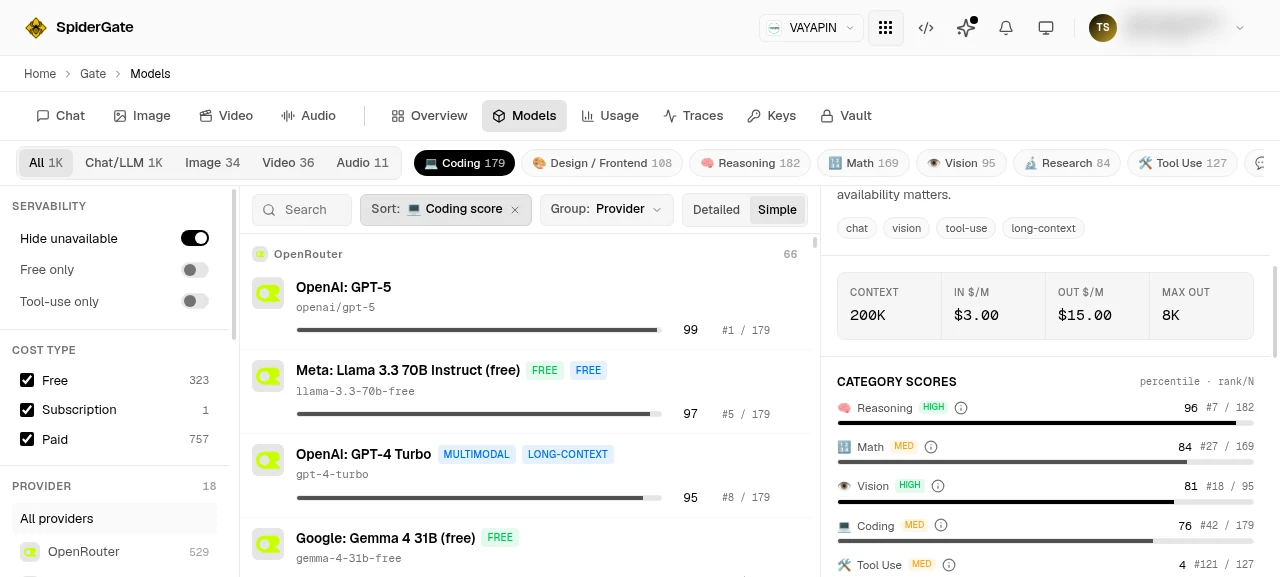
Each row shows the model's score for that category as a bar, plus its rank out of the models scored in it, and a confidence level of high, medium or low.
The score is a percentile from 0 to 100: how the model ranks against the other models scored in that category. It is deliberately not an average of raw benchmark numbers. Scores from different benchmarks are not on the same scale, so averaging them is misleading. "In the top 5% for coding" means something; "an average of 82 across four different tests" does not.
4. Check the benchmarks behind it
Hover a score to open the why tooltip. It lists the exact benchmarks that produced the number. Vendor-reported results are flagged, so you can weigh a self-reported figure differently from an independent one.
5. Ask an agent for the same ranking
Your agents read the same catalog through the gateway, so a model chosen in code matches the one you would pick by hand. The leaderboard is public and needs no token:
curl -s "https://spideriq.ai/api/gate/v1/catalog/leaderboard?category=coding&sort=score&limit=5"For a specific model's scores, pass your token and URL-encode the slash in the model id:
curl -s -H "Authorization: Bearer $SPIDERGATE_TOKEN" \
  "https://spideriq.ai/api/gate/v1/catalog/models/openai%2Fgpt-4o"
Full parameters and response shapes are in the Model Catalog API reference.
6. Install the skill so an agent knows how to use it
If your agent runs in an IDE or an OPVS workspace, install the gateway skill package rather than teaching it the endpoints by hand:
npx @spideriq/mcp-gateThe marketplace package is @spideriq/gateway-skills. It wraps these endpoints as gate_leaderboard, gate_catalog_list, gate_catalog_get and gate_catalog_model_evals, and carries the guidance an agent needs to pick a model under a budget.
Verify it worked
Select Coding on the Models page and read the top row. Then run the leaderboard call above with category=coding. The model at rank: 1 in the response is the model at the top of your screen. If those two agree, you are reading the same ranking your agents are.
Troubleshooting
A model shows "No category scores yet". That model has no benchmark evidence yet. It is not ranked last and it is not scored zero. 221 of the 1,216 models in the catalog carry scores today, so an unscored model is normal.
The chip count looks lower than the total catalog. It is. The count is models scored in that category, not all models.
The API returns 401. Only
/catalog/leaderboardis public. The categories, models and evals endpoints all need a bearer token.The API returns 404 for a model id. The slash needs URL-encoding:
openai/gpt-4obecomesopenai%2Fgpt-4o.An unknown category returns an empty list, not an error. Check
foundin the response before assuming the category is empty.Eval numbers look empty. Evals are just getting started. The endpoint is live but coverage is thin, so
avg_stars: nullmeans no data yet, never a low rating.