Subscription keys & package tiers
SpiderGate now understands two different kinds of paid LLM key, and meters them differently.
Two kinds of paid key
Metered (paid) — an API key billed per token or per credit (OpenAI, Anthropic, xAI, fal, kie…). You pay for exactly what you use.
Subscription — a flat-monthly coding plan (MiniMax, Z.ai/GLM, Qwen, Claude, Codex, Gemini). You pay a fixed fee and get an allowance inside a rolling window.
Until now the vault could only tell these apart by provider. You can now mark any key as a subscription — including a pasted API key, not just an OAuth login.
Marking a key as a subscription
1. Open the vault
Go to Dashboard → Gate → Vault. The Subscriptions tile counts the keys already marked flat-monthly, and the Subscription chip in the TYPE filter narrows the list to just those.
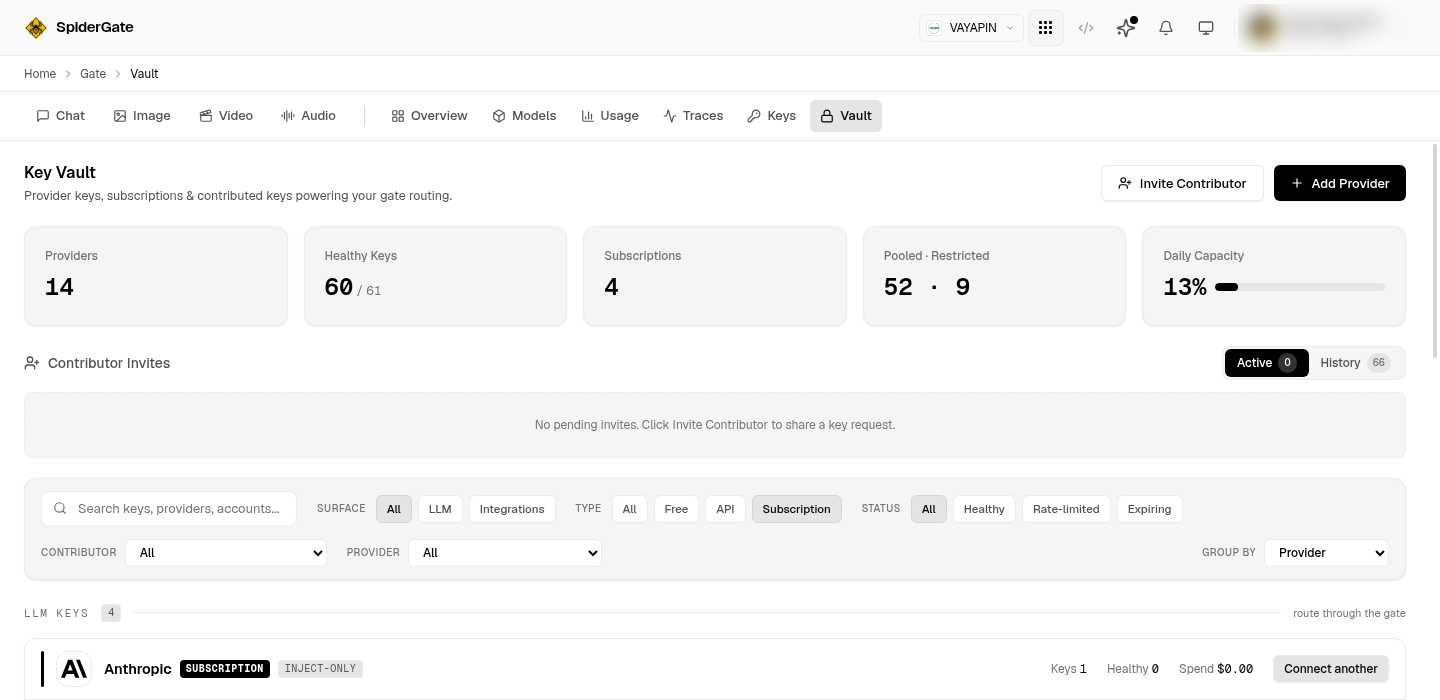
2. Set Billing to Subscription, then pick the package
Open a key with Add Provider or Edit. Under Billing, choose Subscription — a Package picker appears, listing the plans that provider sells. Pick the one you actually bought, for example MiniMax Coding — Max or Claude Max 20×.
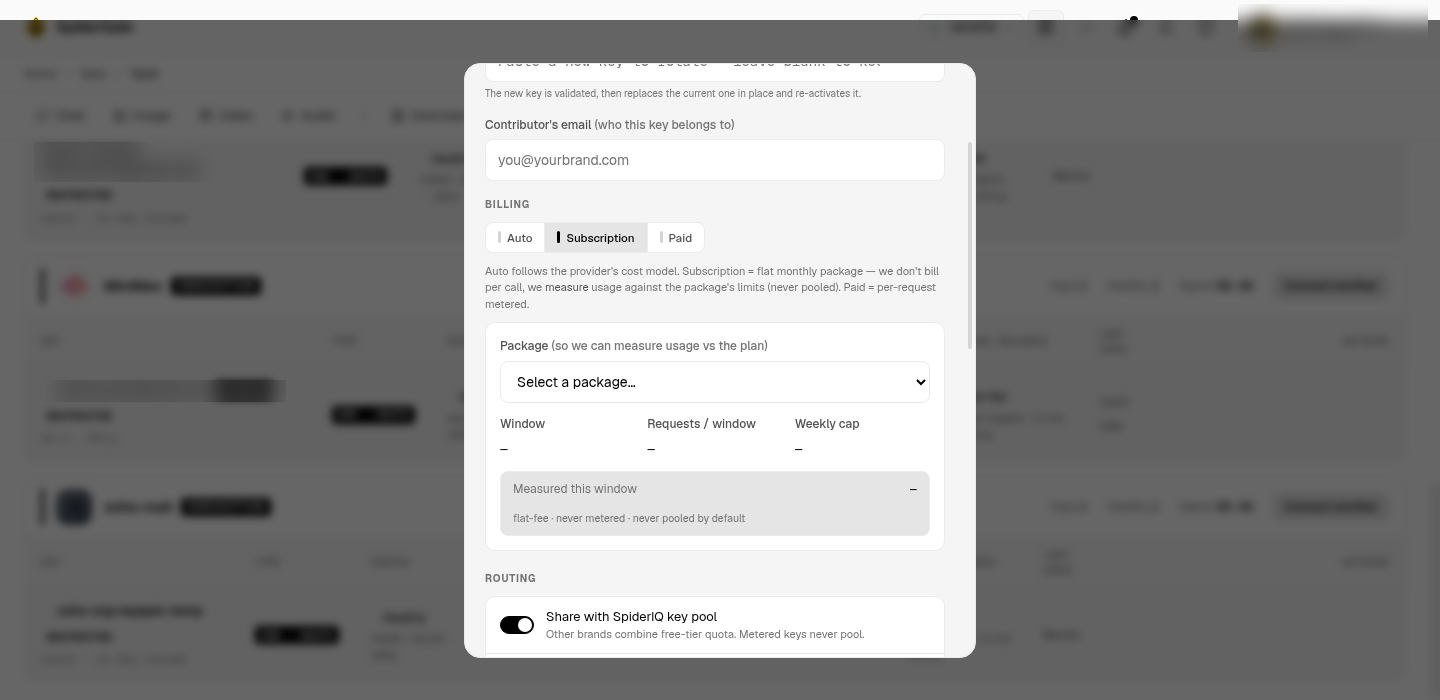
The package is what tells the vault the size of your window. Choose one and the panel fills in Window, Requests / window and Weekly cap from that plan — until then all three show a dash, because there is nothing to measure against yet.
3. Save
A key marked Subscription is always private to your brand — it is never shared into the pool, because a coding plan is tied to one account. If the pool toggle is on, saving with Billing set to Subscription is refused rather than silently switching the toggle off for you.
Why the package matters
A flat-monthly plan has no per-request dollar figure — you already paid — so a spend total tells you nothing. What is worth watching is the allowance: most coding plans run a five-hour rolling window, and some add a weekly ceiling. The package supplies both numbers, which is what turns Measured this window from a dash into a reading.
Doing it from the CLI or an agent
The same controls are available headlessly:
CLI:
spideriq gate subscription-tiers --brand <id> --provider minimaxto list packages, thenspideriq gate keys update <id> --billing-mode subscription --subscription-tier minimax_max.MCP:
get_subscription_tiersto discover packages, thenupdate_brand_integration(orgate_key_update) withbilling_mode+subscription_tier.
Full request and response shapes, the fields the package seeds, and the errors: Vault Billing & Packages API.